What Is Kiro?
According To Google
Kiro is an AI-powered, “agentic” IDE that uses a spec-driven development approach to build software from natural language descriptions. Unlike a traditional IDE, it transforms initial ideas, specifications, and diagrams into technical plans and code, then helps manage the entire process through its “agentic” AI assistants. It works on any technology stack and cloud provider, and its key features include agent hooks for automation and steering rules to guide AI behavior.
According To ChatGPT
Kiro is an AI-native IDE (Integrated Development Environment) designed to let you build software through AI-driven actions instead of manual steps. It’s part code editor, part command runner, and part AI automation system — all wrapped around the MCP (Model Context Protocol).
My First Exposure
If you’ve perused through previous blog posts, you know my first exposure to agentic IDEs began with Cursor. The Cursor IDE has served me well. So expanding my palette and trying out Kiro was an experience, to say the least.
Compare/Contrast Time
A Few Similarities
- Both are built from the foundations of VS Code in order to make it easier to switch development environments. These similarities also make it easy to migrate settings, extensions and more.
- Both offer free and paid subscriptions.
- Both offer vibe coding
- Both offer agents that can code and refactor large amounts of code, either automatically or not, with or without prompting.
- Both are meant to offer support for popular languages.
A Few Differences
- While Cursor offers yearly subscriptions, Kiro currently only offers month-to-month, credit-based subscriptions.
- While Kiro does offer vibe coding, it also offers spec-driven coding.
- Vibe coding: A style of development that relies heavily on AI to generate code from conversation with users through an agent. The workflow is incredibly flexible.
- Spec-driven: Focuses first on structured workflow following a specification or set of rules provided to the AI.
- While there are ways to mimic Agent Steering and Agent Hooks in Cursor, they are automatic in Kiro. Before performing tasks, Agent Steering and Agent Hooks are looked at first to keep the output as close to the user’s desire as possible.
- It is much easier to instruct Cursor in the chat to navigate to external URLs than Kiro. Kiro’s main point of access to the external internet is through the use of MCPs (Model Context Protocol servers).
My Takes
I think, after the fact, I inadvertently skipped out on using many of the features of Cursor because I was happy with all the easily viewable features that show when you code. The Workspace showed the basic things I was familiar with from VS Code. The main coding area and Terminal space were also familiar. The chat window on the right was the game changer for me going from VS Code to Cursor. When I develop, I’m dialed in, and unless someone essentially shakes me and says “Look at this!”, I’m ignorant to things in the periphery. So there were very few features beyond the out-of-the-box ones I initially saw that I used. And even still, I was able to accomplish a lot using Cursor. Admittedly, the main, if not only, important feature that made my job so much easier was the AI chat.
After spending a week with Kiro and damn near all 500 free credits, building a marketplace site akin to Etsy/Facebook Marketplace/Craigslist, I enjoy how well-built and put together Kiro truly is. A lot of the settings and features I could have been introduced to that were hidden in settings menus in Cursor seem, by and large, to be viewable as soon as you start a project in Kiro. Right off the bat, that encouraged me to at least ask “Hmm, what is this?” Kiro is still similar enough to VS Code that I didn’t require an annoyingly in-depth 8-hour tutorial to get started, and its ease of use just continued from there. While understanding the designed security feature of blocking internet access, I’m not a fan of that. I did like being able to plug @xyz.com into the Cursor chat when I needed the agent to be aware of something on a website. Something else in Kiro’s chat that I enjoyed was the option of Accept, Reject, Trust. As a general rule of thumb, I do NOT fully trust any AI agent. So I don’t mind the extra time spent when it comes to not blindly trusting the agent to make all changes without reviewing them first.
How My Experience with Kiro Looked
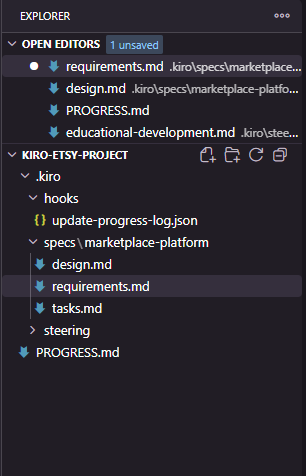

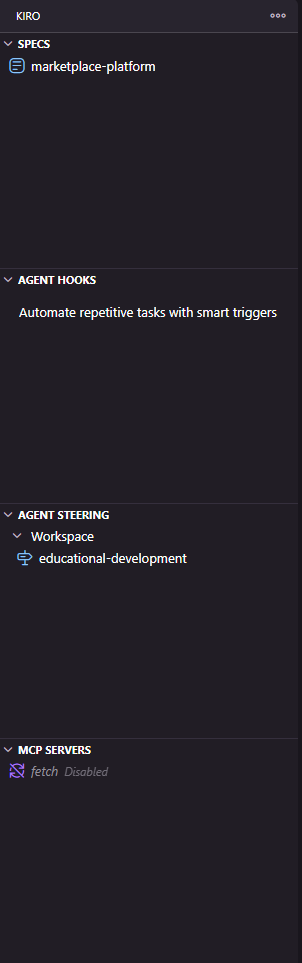

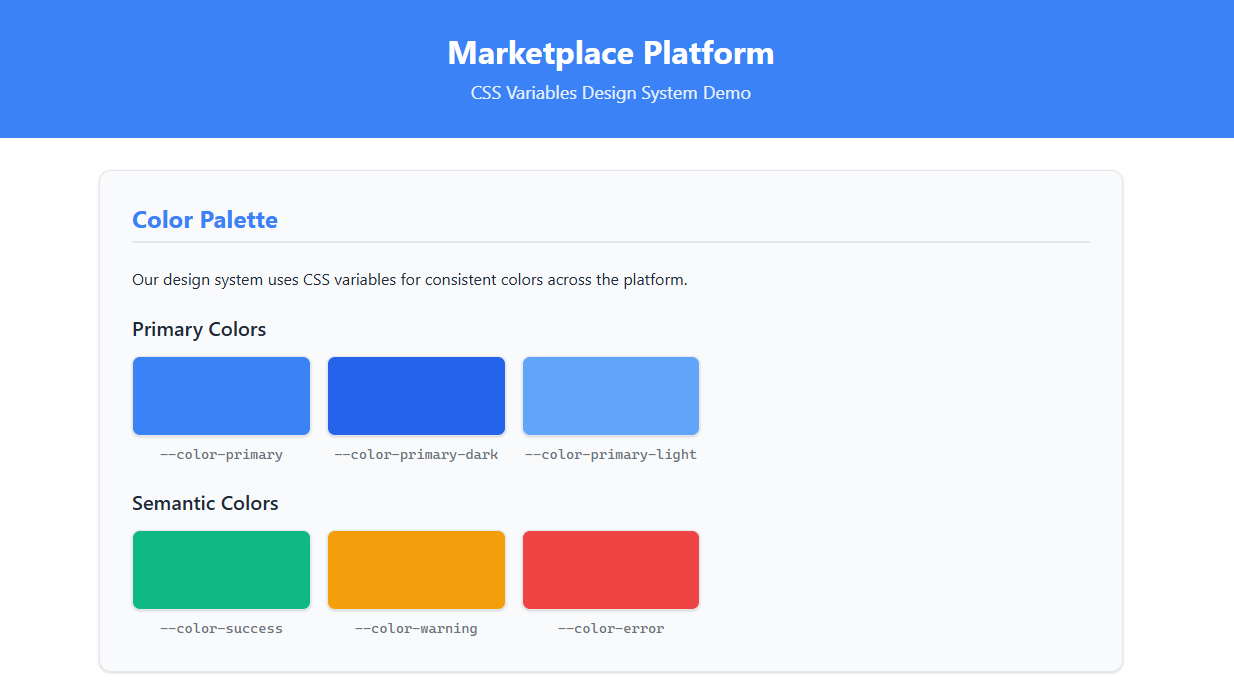
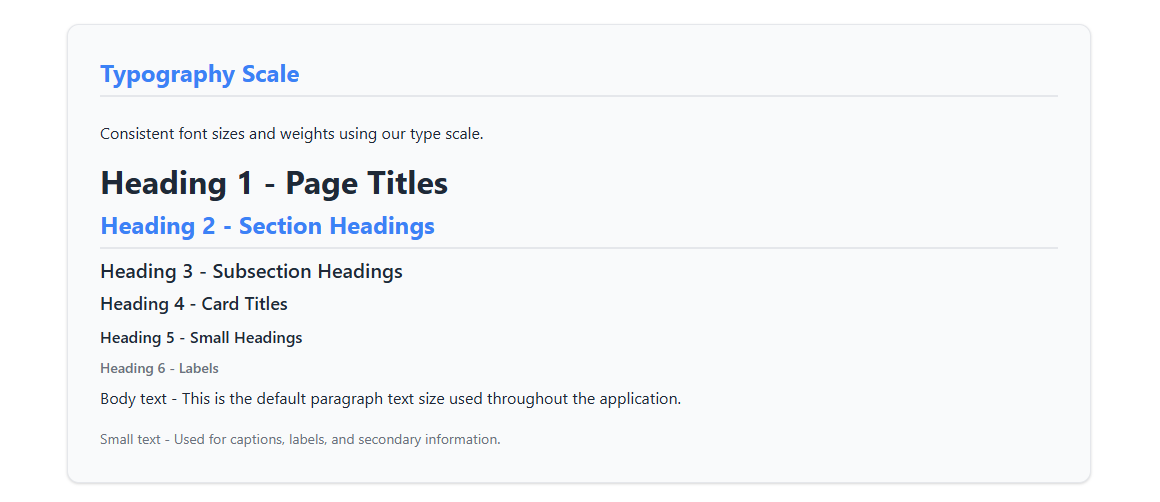
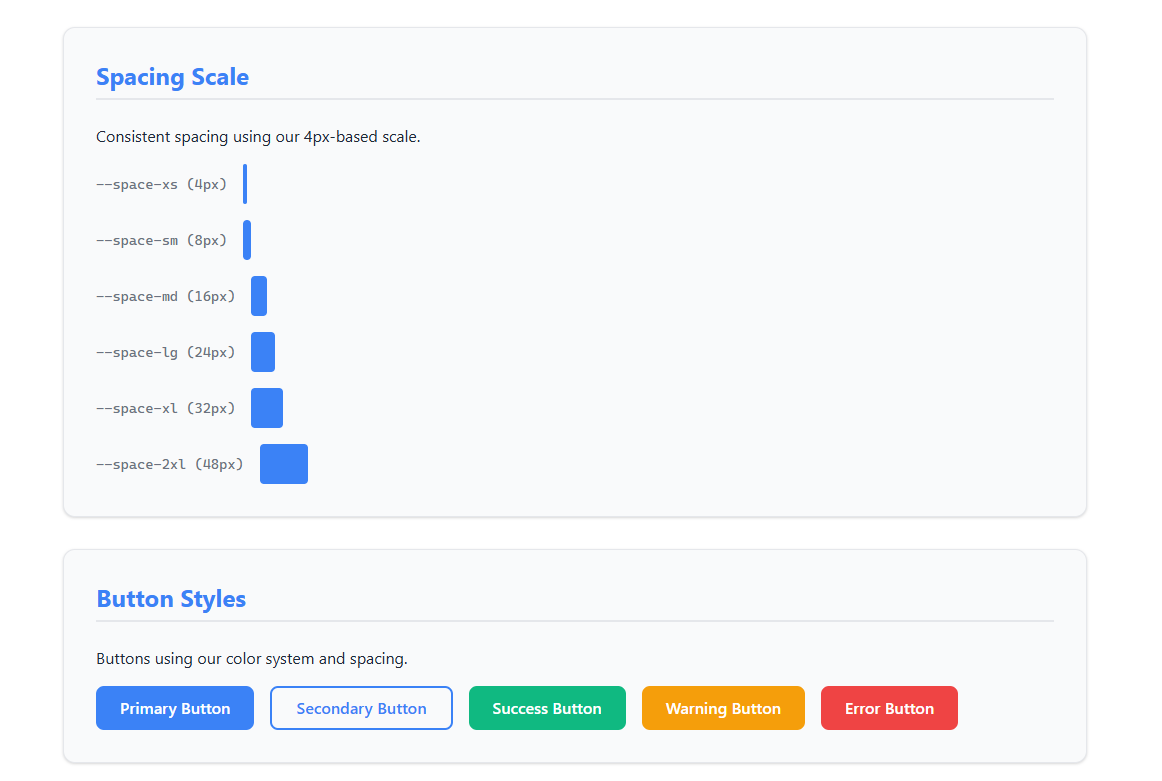
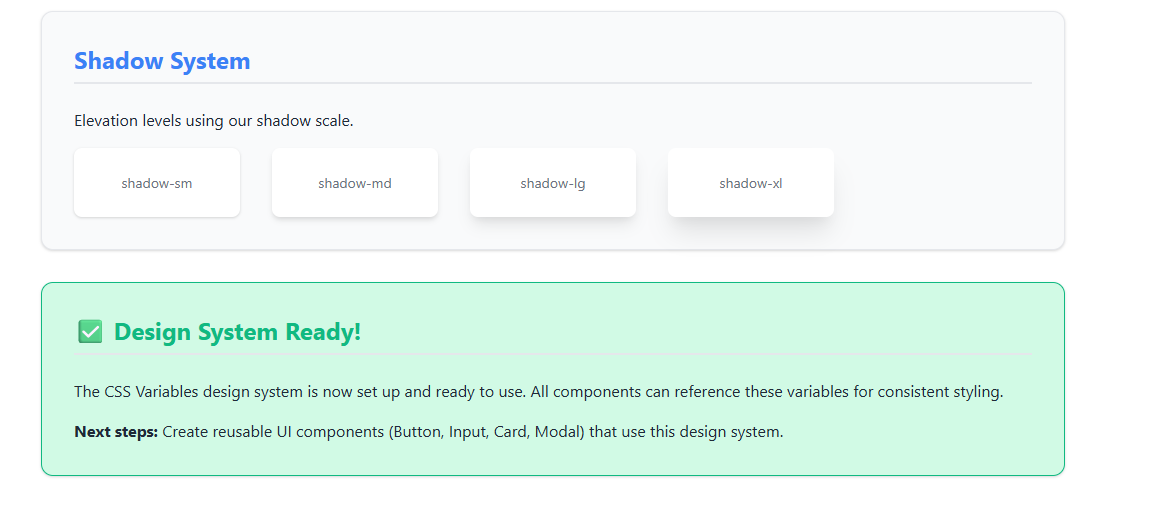
When building the marketplace site, I specifically requested that Kiro use only CSS variables for styling—no Tailwind CSS or Bootstrap frameworks. I wanted to maintain full control over the styling and keep the codebase lightweight. Below are examples of the CSS variable-based styling that Kiro generated based on my prompt:
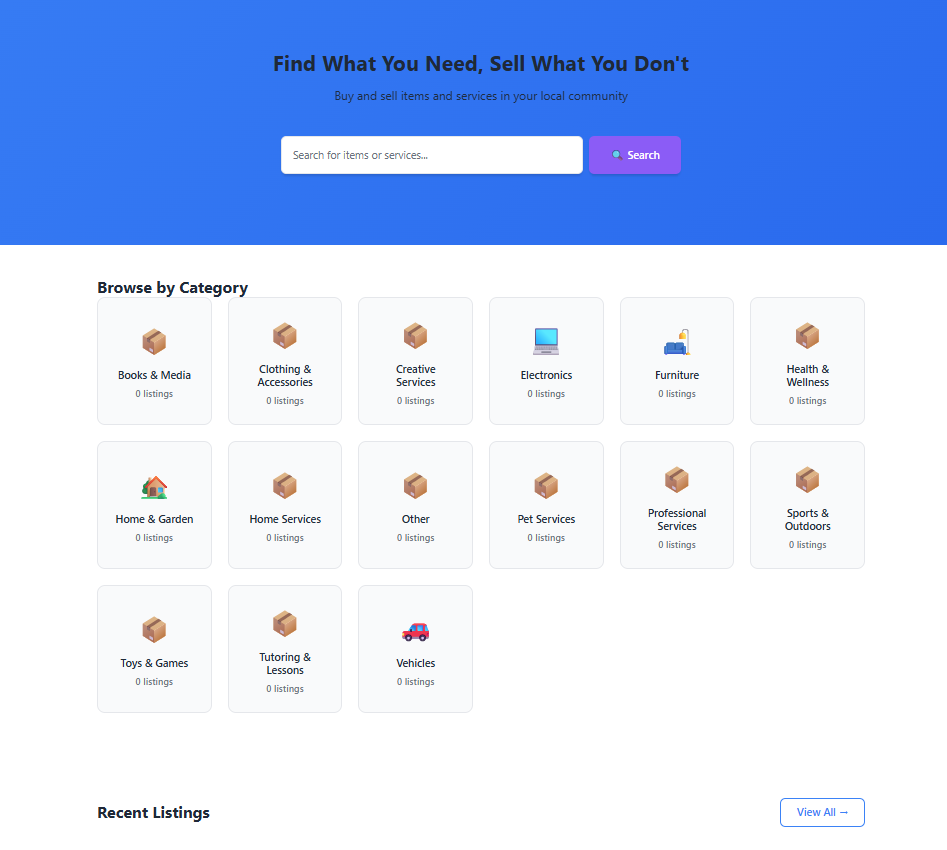 An example of the MVP basic vanilla homepage for the marketplace site
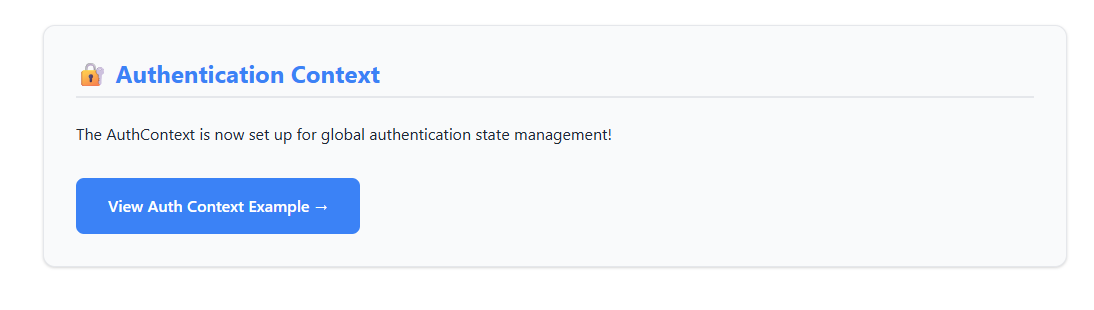
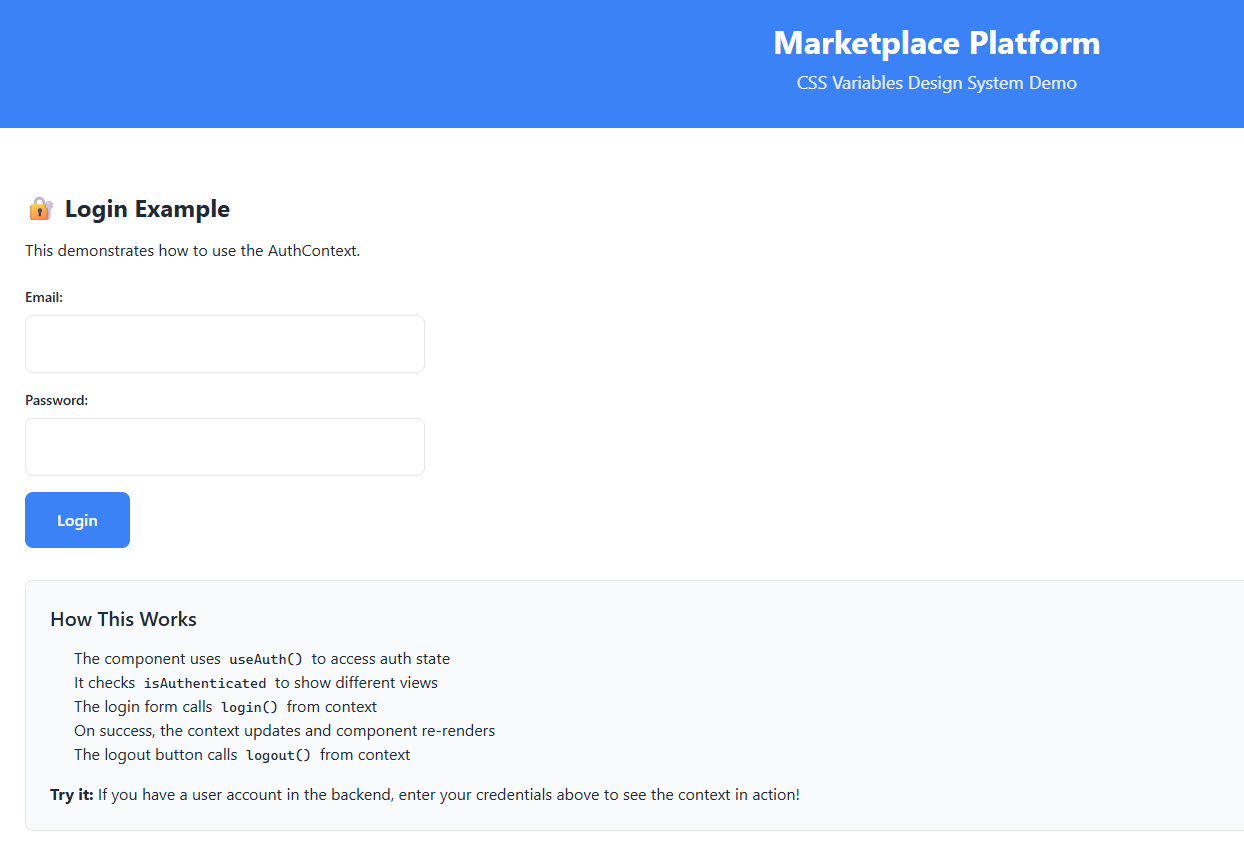
What the MVP authentication screens look like
In Conclusion
After a week of hands-on experience with Kiro, I can confidently say it’s a well-designed, powerful IDE that excels at spec-driven development. The marketplace project I built serves as a solid testament to what’s possible when you combine clear specifications with Kiro’s agentic capabilities. The fact that I could request CSS variables instead of frameworks and have Kiro respect that preference is only one of the ways I chose to showcase the tool’s flexibility and attention to developer intent.
When I’d choose Cursor:
- Quick iterations and exploratory coding
- Projects where I need to reference external documentation or websites directly in chat
- When I want the flexibility of vibe coding without the overhead of structured specs
- Daily development work where speed and familiarity matter most
When I’d choose Kiro:
- Projects that benefit from upfront planning and structured specifications
- When I want features like Agent Steering and Agent Hooks built-in from the start
- Team projects where spec-driven development ensures consistency
- When I want to be encouraged to explore features I might otherwise miss (like I experienced with the visible settings)
Both tools have their place in a developer’s toolkit. Cursor remains my go-to for day-to-day work, but Kiro has shown me the value of a more structured, spec-driven approach—especially for larger projects or when I want to ensure I’m not overlooking powerful features hidden in menus. The Accept, Reject, Trust workflow in Kiro also aligns perfectly with my philosophy of never blindly trusting AI agents.
As I continue my job search and build out my portfolio, I’ll likely use both tools strategically: Cursor for rapid prototyping and iteration, and Kiro when I want to build something more substantial with clear specifications from the start. The marketplace project was a great learning experience, and I’m excited to see how Kiro evolves as it moves beyond preview status.