BACKSTORY, IF YOU WILL
I understand it has been some time since my last blog post, but let’s be for real, who’s actually reading these things? So it’s not like anyone is chomping at the bit to hear about little ol’ me.
However, over these past several months I’ve been building and maintaining my homelab as well as sending out applications and resumes — even after hearing how AI has been designed to pretty much reject them all within seconds of submission. That little nugget of information did not sit well with my mental health, which is a main reason I let this blog sit without updates.
I had to find ways to fill time and feel productive. What better way to practice wearing that Junior Developer hat than to create an application? Hence the birth of Yum4Less.
WHAT IS YUM4LESS
The goal of Yum4Less is pretty simple: the world is expensive and getting more so by the day. There are MANY apps that do a few things here or there that try to help while also including a ton of bloat that does nothing important at all. Why not put the important parts in one place: finding cheap food, finding out where that cheap food is, and ideas for how to prepare it. In my research, there were no apps that did all of those things. Then I added an extra feature that NO app considers: look for cheap food at multiple locations at once, without having to surf multiple retail apps.
Yum4Less is not designed to be a coupon clipping app. It is not an app you can shop on; there are no payment integrations at this time. This is not designed to be a social network of any kind. Yum4Less is no Instacart wannabe.
WHAT IT DOES TODAY
- It finds grocery stores in your area and shows you their locations.
- It finds weekly/daily grocery store sales from several major grocery chains. As the app scales, more geographic locations and grocery stores will be added.
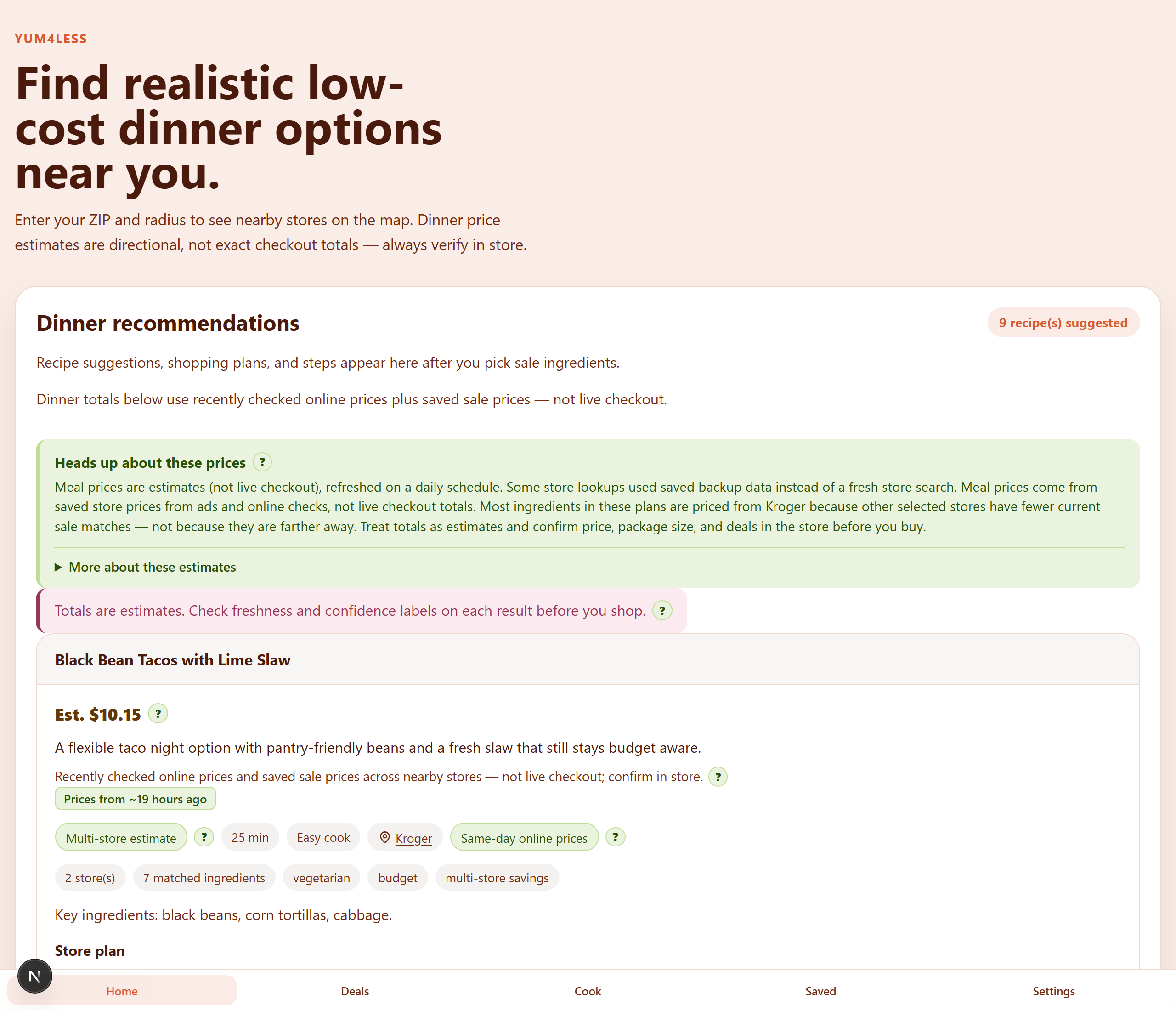
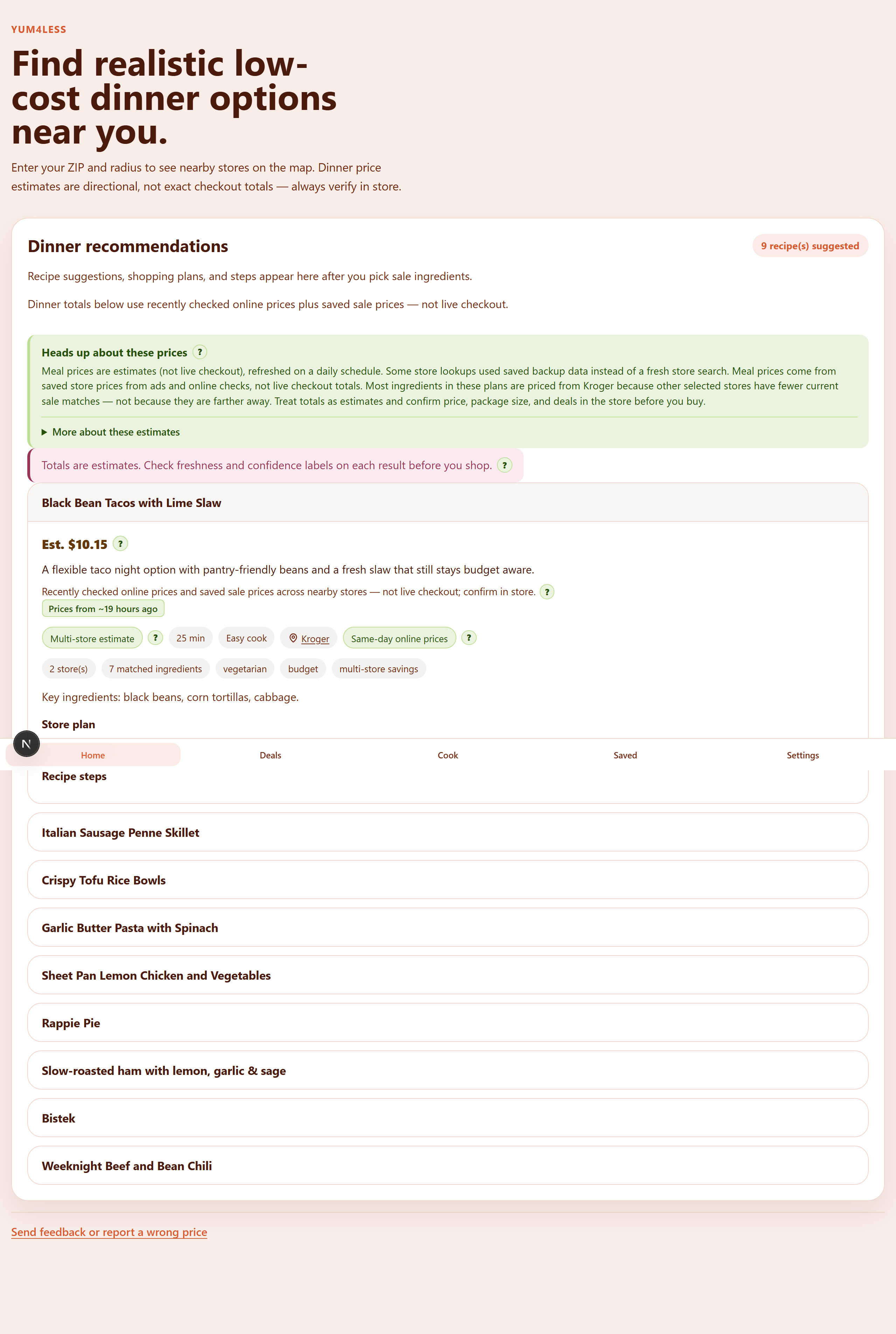
- It takes the sale items and suggests meals, estimates cost, and gives confidence ratings on its findings.
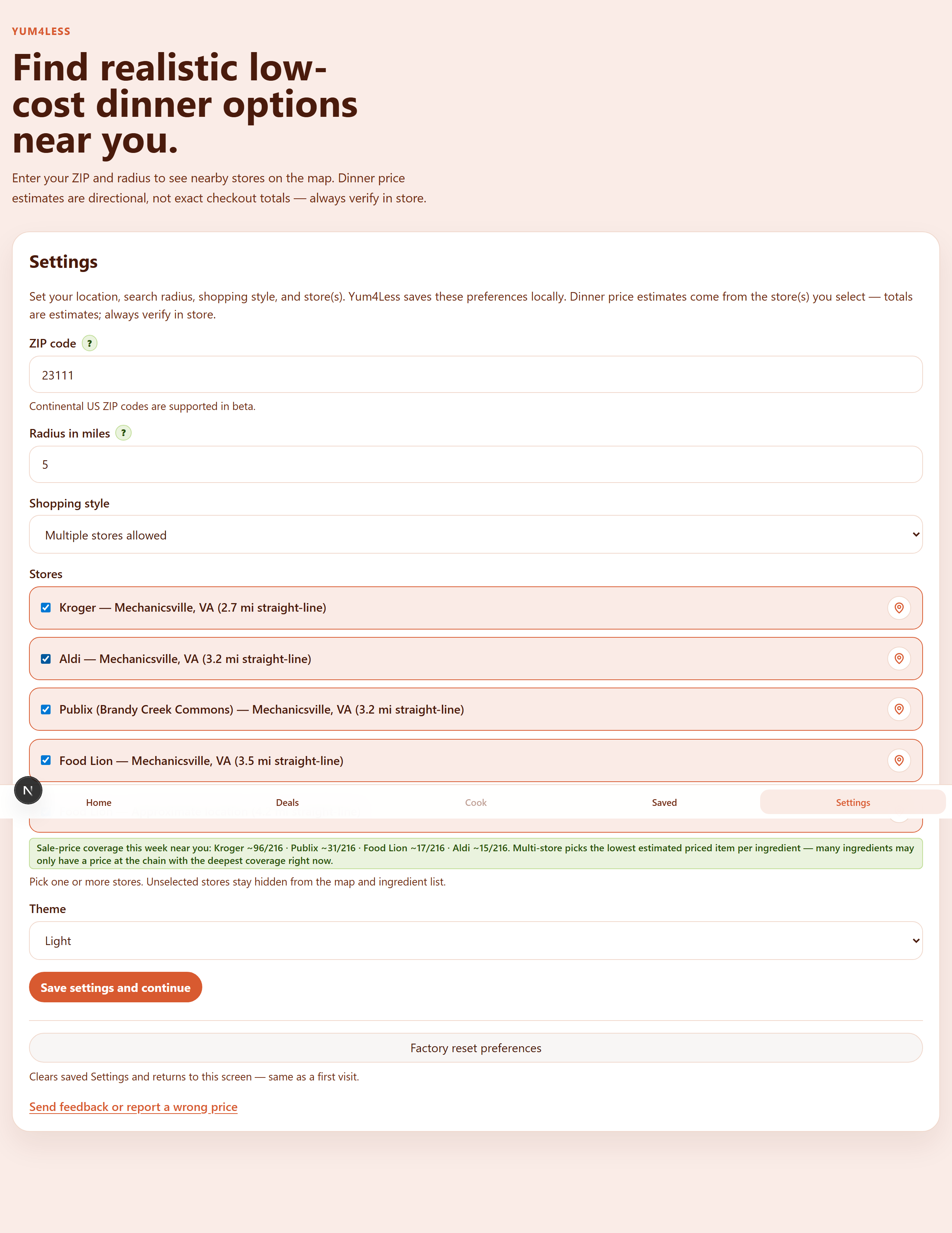
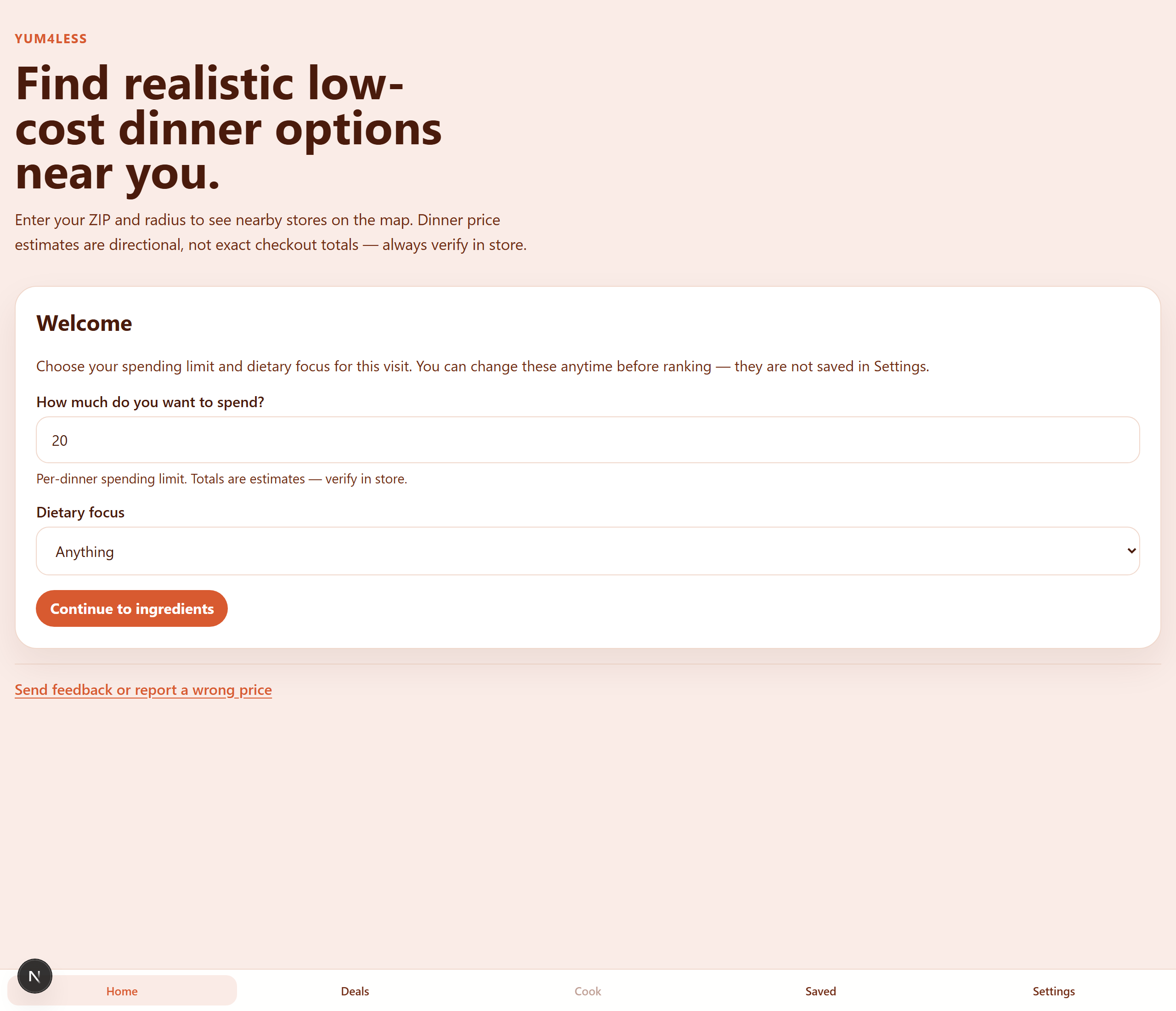
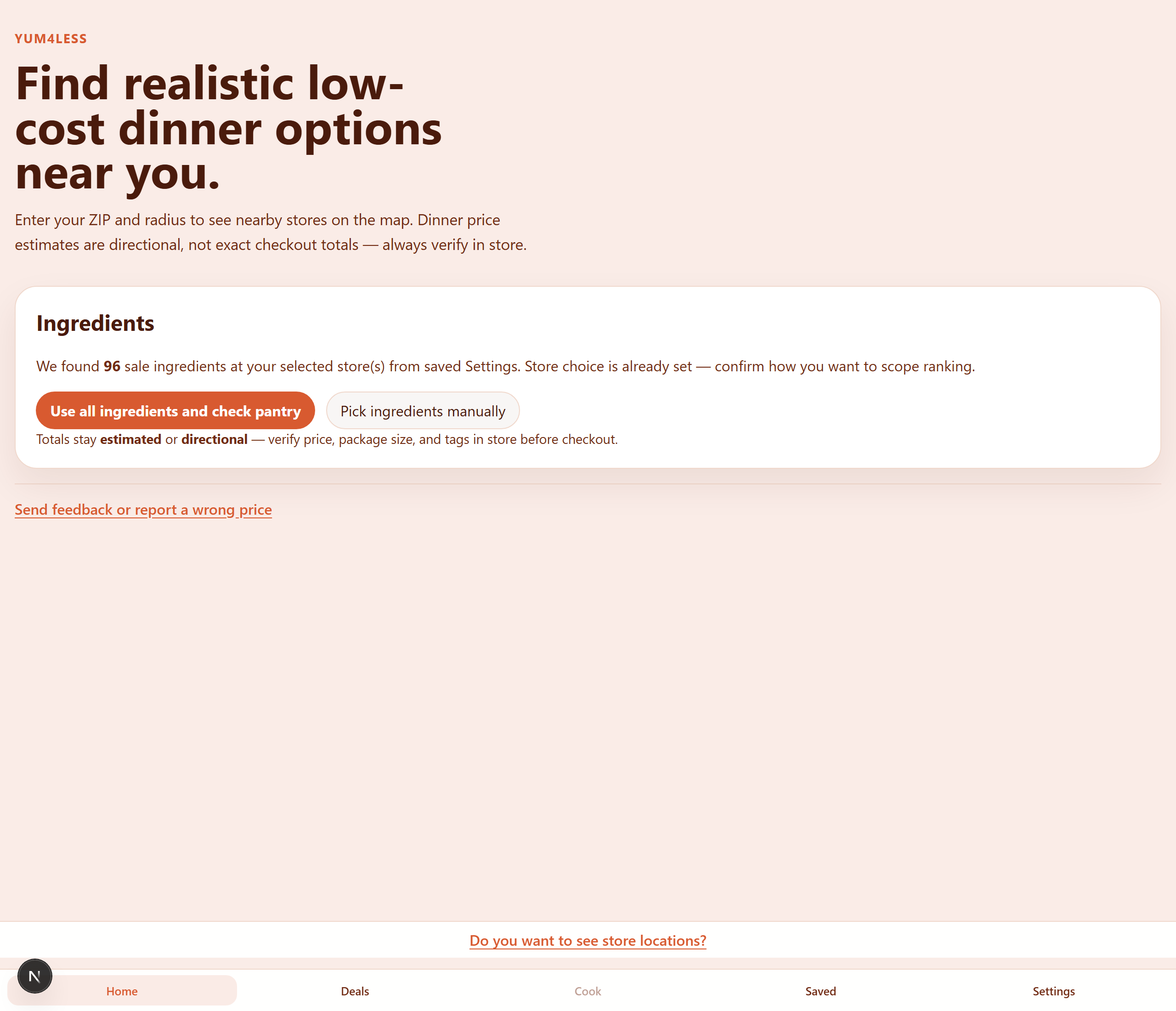
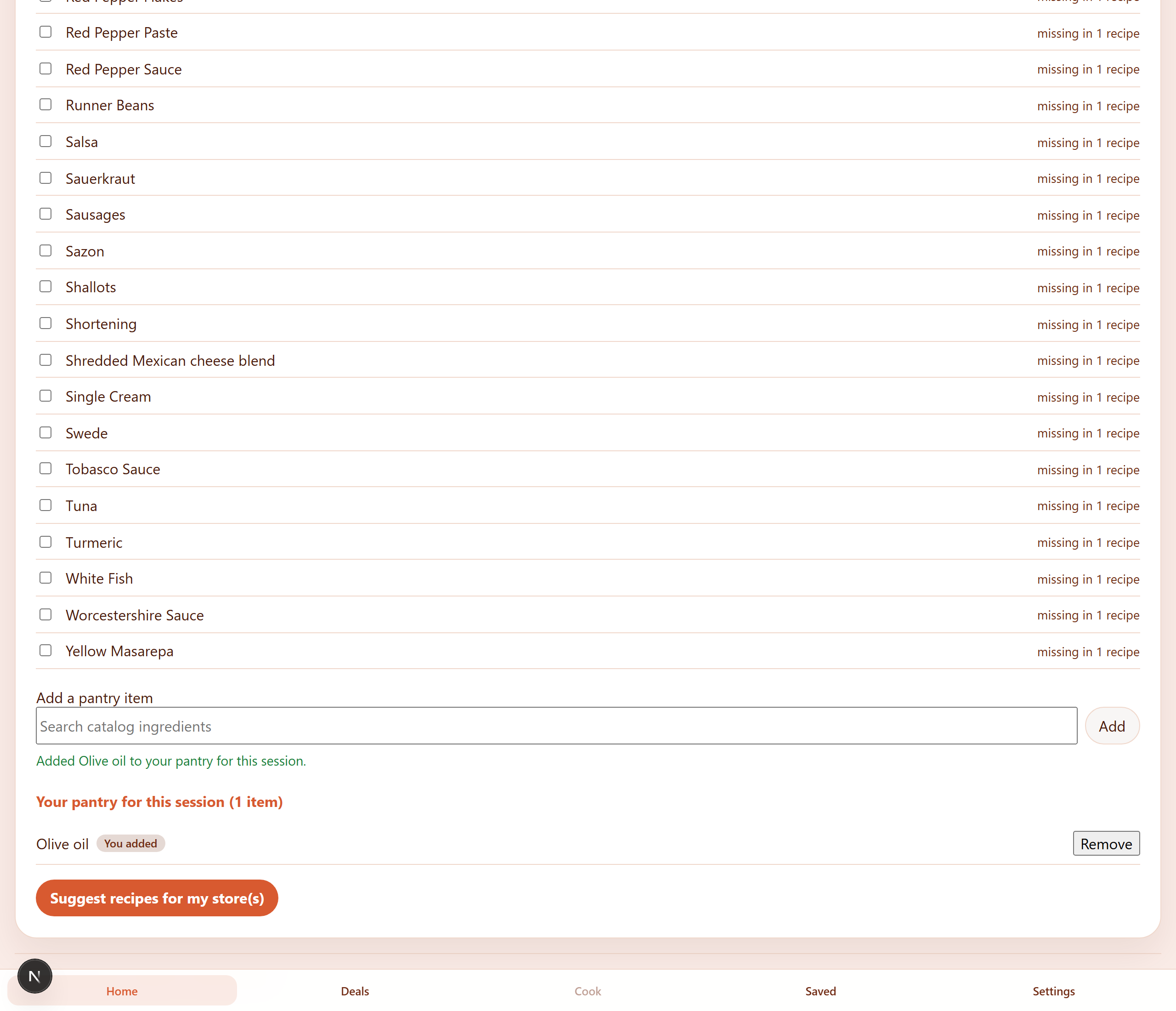
Here’s one example walkthrough from Settings → dinner ideas. Use the arrows to step through; click a screenshot to enlarge.
HOW IT WAS MADE (OR: CURSOR, POSTGRES, AND A LOT OF RULES)
STEP ONE — It has a name, now what
I started this in early 2026. The tech stack direction was locked early:
- Next.js + TypeScript (I wanted to start easy, as a web app first, then expand it as a mobile app)
- PostgreSQL in a Docker Desktop container
- Leaflet for maps using OpenStreetMap and Overpass API
- Nominatim for coordinates sanity-checking
- Geocoding via Geocodio
- An internal recipe library was created in the beginning for testing, then TheMealDB was included
- E2E testing is done using a Playwright MCP server
- GitHub Actions and a Semgrep MCP server are used for CI
STEP TWO — Teach the AI how not to wreck the product
I use the same playbook as many of the applications I build: Cursor + a pile of .cursor/rules, .cursor/agents, .cursor/hooks, and an AGENTS.md that basically says “don’t claim verified unless you ran the tests.”
Creating the right subagents, each with a different job, rules for each fathomable part of the development process, hooks to trigger everything at the right times… it’s a lot! Especially if you want something a little more professional looking than a vibe-coded app. There are industry coding standards to adhere to, security standards, and everything in between.
STEP THREE — Data is the hard part (surprise)
An app is more than just pretty colors and buttons and animations.
If you have created the hooks, agents, and rules, as well as installed the right MCP servers, your job gets a little easier. But not much. It’s still a very time-intensive process.
- There’s creating code that does store discovery from chain locators + OpenStreetMap
- Creating code that performs weekly-ad ingest, whether that be through API connections, using Flipp, or good old-fashioned web scraping
- Matching sale titles to a tracked dinner-ingredient list without deciding that “honey graham crackers” means you should buy honey for the stir-fry
- Creating logic that decides a store is legitimately a store, that the sale items are food items, and that the recipes provided come from the ingredients discovered plus what a user has stated is already in their pantry
- And more logic that decides pins on a map are first, legit stores, and second, in the right location instead of miles away in a random neighborhood
- And so much more…
STEP FOUR — Redesign when the first UI stopped matching the product
In late June I decided to make a major change. The UI initially looked more like a website and I needed to refactor the UI to fit more of a mobile screen format. The intention from the jump was to create a mobile app that can be installed from the Apple or Play stores. There was a lot of refactoring to ensure the backend logic still seamlessly tied into the frontend UI. But I think it was worth it.
WHY BOTHER
Part resume padding. Part “I want to ship something people could actually use.” Part curiosity about building a real product with agentic AI without letting the agents gaslight the trust model.
Also: dinner is a daily problem. Homelabs are cool. But “what should we cook that fits the sales this week” is the kind of annoyance that shows up every Tuesday at 5:40pm whether or not your NAS is happy.
WHAT’S NEXT / WHAT’S NOT DONE
- Deploying the app to my homelab in preparation for a public beta deployment
- Activating the Saved tab to actually show saved dinner recommendations
- Adding additional stores in the beta geographical area, like Walmart
- More scrape-compliance automation on the ingest side
- Scale to include more physical and grocery store locations
- Bridging the gap between food deserts and people
- Me, employed, so hobbies can stop competing with “please hire me” energy
If you want the technical truth dump, the repo’s README.md and PROJECT_CONTINUITY.md are the source of record. This post is the human version.
Repo: github.com/sfh1980/Yum4Less
ANYWHO, as always… If you’d like to support my work, you can donate via PayPal.